Custom PC Tycoon Changelog
What the live Roblox description is advertising right now, written as a player checklist.
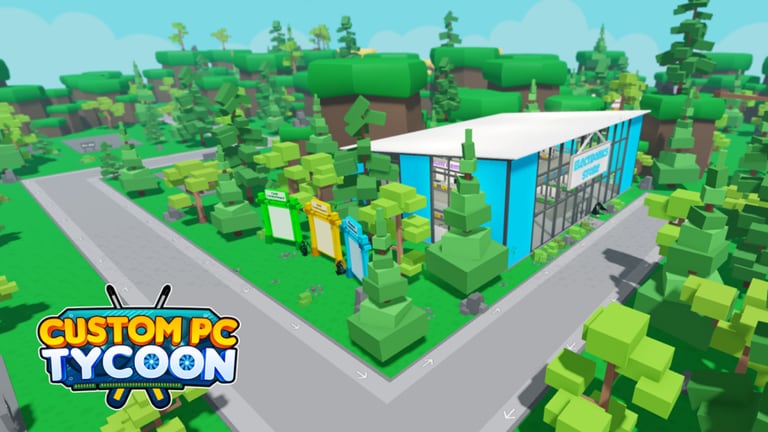
The official Custom PC Tycoon description is the changelog we can all see without a Trello. As of the August 2026 check it highlights a new Steampunk server set, a new desk set, a new cash PC set in the electronics store, two new codes, and minor bug fixes. Premium players still get a 10% income boost. This page turns those bullets into actions.
There is no public Trello. Roadmap talk lives in the Fallen Worlds community listed on links.
Current description themes
Steampunk server set. A themed server setup. Buy it when you can fill the rack, not as empty furniture. Rank it on the endgame tier list after you place one.
New desk set. Cosmetics plus peripherals for desk setups. Fill mouse, keyboard, mat, cans, and monitors. Unlock order stays on desks and servers.
New cash PC set. A starter-band bundle in the electronics store. Compare it to your current row and to leftover code parts before you replace a working 6Bit V0. The early-game tier list is the judge.
Two new codes. Check the Codes Hub. Community lists in mid-August 2026 still show Dr Gflu and 60m visits as working All Boosts strings. If a string is not in the table yet, we have not confirmed a redeem. Do not trust a random chat code.
Bug fixes. If a prompt broke, rejoin before you assume a part is gone. Controls covers stuck HUD states.
How we treat older notes
Community wikis still document podium prices, desk Gold costs, NextGen’s January 2024 add, and Sunstone converters. We keep those as “community records” until the live game contradicts them. If a pad price changes, the progression checklist is the file we update first.
Visit milestones (7M, 70m, 80m, 90m) are how many codes are named. They are not a promise that the next visit code exists tomorrow.
Player checklist after you read this
- Redeem confirmed codes.
- Walk the electronics store and note whether the cash set is stronger than your row.
- If you already run racks, price the Steampunk bundle as a complete kit.
- Recalculate with the income calculator.
- Only then sell a pad. Build and sell is the swap order.
Related pages
Events for seasons. Updates Hub for the index. Sunstone if NextGen stock moved. Scripts will not be “updated” to match a patch — we do not maintain helpers.
Reading a description without panic
New set means a shelf exists. It does not mean your row is obsolete. Walk the store, price a complete kit, place one, measure. The income calculator is the calm version of a rebuild panic.
Two new codes means two strings exist somewhere. It does not mean they are in this table yet. Redeem only what the Codes Hub or a first-party post shows. Chat codes after a patch are a sport for scammers.
Bug-fix lines mean you should rejoin before you write a complaint. Controls covers missing gears and hidden prompts.
Premium is not a patch
The 10% line stays in the description because it is standing rules, not news. It still matters more after you fill pads. Do not treat it as a reason to skip codes or cheap podiums.
When the description is quiet for a month, that is also information. Play the current shelves. Hunt secret parts you skipped. Rebuild one pad if a leftover code chip finally looks weak. Silence is not a reason to install a script.
Copy the description into a note the day you see it. Next month you will forget whether Steampunk was this drop or the last one. The note plus this page is enough history. You do not need a third-party Trello for a tycoon that writes its patch on the play button.
Frequently Asked Questions
Quick answers to the most common questions.
Is there an official Custom PC Tycoon Trello?
No public Trello. Use the Roblox description and the Fallen Worlds community.
What is new in the current description?
A Steampunk server set, a desk set, a cash PC set, two codes, and bug fixes, plus the standing 10% Premium boost.
Should I buy every new set?
Only if you can place a complete kit and the tick beats your current row.
Where do I confirm new codes?
On the Codes Hub after a successful Settings redeem, not from an unverified chat message.