Custom PC Tycoon Wiki
Working codes, Sunstone routes, and part lists for Custom PC Tycoon on Roblox.
Unofficial Roblox wiki for Custom PC Tycoon with working codes, Sunstone routes, part lists, and build guides.
- 100M+
- Roblox visits
- 10%
- Premium income boost
- 8
- Podiums to unlock
- 22+
- Codes to check
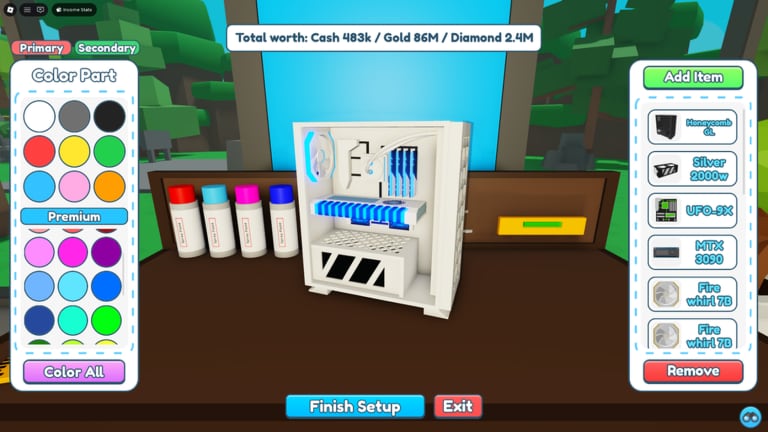
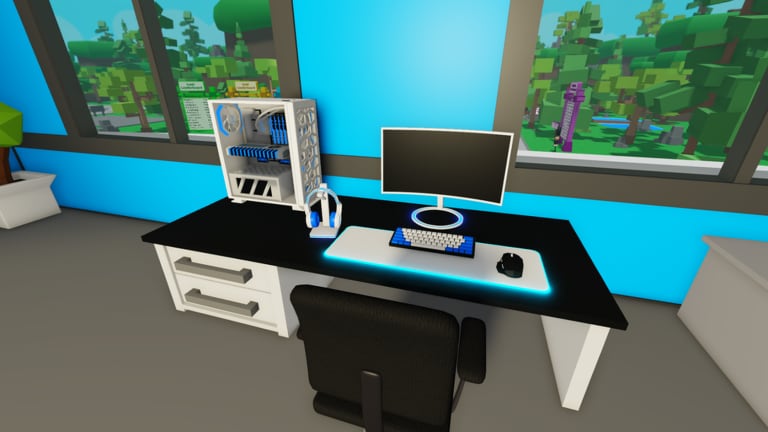
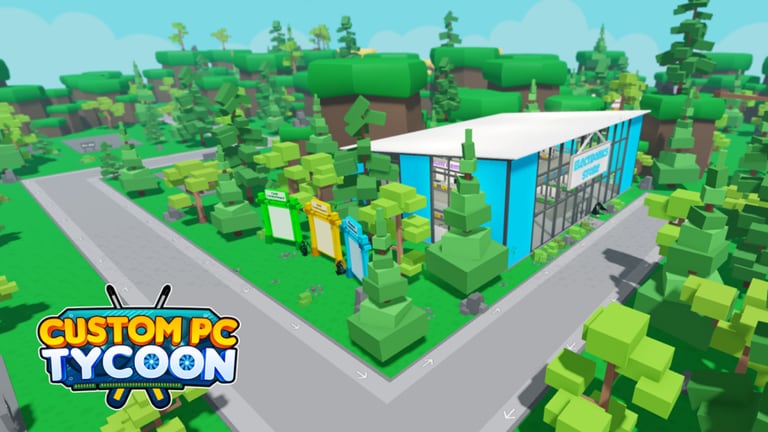
Hubs organised around the searches players actually make.
Codes Codes Hub
Working Custom PC Tycoon codes for cash, boosts, and exclusive parts, plus expired strings and a Settings redeem path.
Read guide Guides Guides Hub
Custom PC Tycoon guides for first-hour play, money, builds, Sunstone, desks, servers, secrets, and controls on Roblox.
Read guide Items Items Hub
Custom PC Tycoon items hub: PC parts, desk peripherals, server racks, and the Cash Gold Diamond Sunstone ladder.
Read guide Tier List Tier List Hub
Custom PC Tycoon tier list hub: how we rank parts for income and progression, plus early-game and endgame lists.
Read guide Scripts Scripts Hub
Custom PC Tycoon scripts hub: what auto farm and auto build helpers claim to do, plus Roblox ToS and account-risk notes.
Read guide Updates Updates Hub
Custom PC Tycoon updates hub: live changelog themes, seasonal events, and where Fallen Worlds posts new codes.
Read guide Tools Tools Hub
Custom PC Tycoon tools hub: income estimator and progression checklist for podiums, desks, servers, and currency gates.
Read guide Links
Links Links Hub
Official Custom PC Tycoon links: Roblox experience, Fallen Worlds group, Discord, and why there is no public Trello.
Read guideDeep walkthroughs for first-hour play, money, and hidden parts.
Codes Hub
Working Custom PC Tycoon codes for cash, boosts, and exclusive parts, plus expired strings and a Settings redeem path.
Read guide GuidesGuides Hub
Custom PC Tycoon guides for first-hour play, money, builds, Sunstone, desks, servers, secrets, and controls on Roblox.
Read guide ItemsItems Hub
Custom PC Tycoon items hub: PC parts, desk peripherals, server racks, and the Cash Gold Diamond Sunstone ladder.
Read guide Tier ListTier List Hub
Custom PC Tycoon tier list hub: how we rank parts for income and progression, plus early-game and endgame lists.
Read guide CodesHow to Redeem Codes
Redeem Custom PC Tycoon codes in Settings: exact clicks, case-sensitive paste rules, boost timing, and common error fixes.
Read guide GuidesGetting Started
First-hour Custom PC Tycoon guide: redeem codes, buy a full part set, build on the workbench, and fill cheap podiums.
Read guide GuidesHow to Make Money
Custom PC Tycoon money guide: podium order, 20-second ticks, converts, Premium, boosts, desks, and when to stop buying junk.
Read guide GuidesSecret Parts
How to find Custom PC Tycoon secret parts: 4TB RAM, Secret Mouse, and SCI-FI X9 Case routes with map landmarks.
Read guideSettings holds the redeem box. Codes are case-sensitive, several include spaces, and each account can use a code once. Start here before you spend starter cash on a weak case.
Buy parts, assemble on the workbench, place the PC, then convert upward. Podiums come first, desks after the second floor, servers after that, and Sunstone sits at the top of the ladder.
Getting started
First-hour loop from the electronics store to podium one.
Read guideHow to make money
Reinvest order, boost windows, and Premium math.
Read guideBuild and sell a PC
Workbench tiers, color unlocks, and sell timing.
Read guideHow to get Sunstone
Converters, NextGen stock, and late-game income.
Read guideDesks and servers
Floor two desks, peripherals, and rack income.
Read guideSecret parts
4TB RAM, Secret Mouse, and SCI-FI X9 Case routes.
Read guideControls
PC and mobile prompts for shop, bench, and place.
Read guideGamepasses
Roblox Premium 10% vs shop VIP and shop Premium.
Read guideStore basement
Advanced elevator, trivia, and Diamond shelves.
Read guideCustom colors
Workbench spray, secondary paint, and Premium tints.
Read guideShop road
Cash store, Advanced, NextGen, and the storage lot.
Read guideShed
Workbench, podium row, second floor, and lot basement.
Read guideCash, Gold, Diamonds, and Sunstone each unlock a different shop band. Desks want peripherals. Servers want rack parts. Rankings change once NextGen stock is in play.
Items Hub
Map of PC parts, desk kits, servers, and currencies.
Read guidePC parts
Case, motherboard, CPU, GPU, RAM, PSU, and cooling.
Read guideDesk setups
Five desks and the peripheral slots that raise income.
Read guideServer setups
Rack boards, CPUs, drives, and themed sets.
Read guideCurrencies
Cash to Gold to Diamonds to Sunstone conversion.
Read guideTier List Hub
S through D ranks for income and progression value.
Read guideEarly-game ranks
Best cash and Gold buys before Advanced shops.
Read guideEndgame ranks
Sunstone and NextGen parts worth the convert cost.
Read guideUse the estimator when you are choosing another podium versus a better GPU. Use the checklist so you do not skip a cheap podium that later blocks a shed upgrade.
Some players look for auto buy, auto build, and anti-AFK helpers. Using them can break Roblox rules and cost the account. Read the feature list and the warning before you touch an executor.
Five moves that put a stronger PC on a podium tonight.
- 1
Redeem codes in Settings
Open the Codes Hub and follow how to redeem codes. Paste each string exactly, including spaces.
- 2
Build one complete PC
Buy a full set from the electronics store, then use the build and sell guide so the workbench does not sit half-empty.
- 3
Fill every cheap podium
The make money guide and the progression checklist keep you from skipping a 200 Cash slot.
- 4
Climb currencies, then desks
Read currencies before you convert, then unlock desks and servers once Gold income is stable.
- 5
Hunt secrets and rank parts
Walk the secret parts routes, then check the early-game tier list before the next shop run.
Wiki FAQ
Quick answers to the most common questions.
Is Custom PC Tycoon free on Roblox?
Yes. The experience is free to play. Roblox Premium adds a 10% income boost. Shop VIP and shop Premium are separate Robux passes — see the gamepasses guide.
Where do I redeem Custom PC Tycoon codes?
Launch the game, open Settings on the side of the screen, paste a code into the box, and confirm. The how to redeem page lists the exact clicks.
What is Sunstone?
Sunstone is the top currency, used in the NextGen Electronics Store. One Sunstone converts from a huge Diamond pile. See how to get Sunstone.
Is this wiki official?
No. It is a fan resource. Confirm codes and patch notes on the official Roblox page and the Fallen Worlds community listed on the links page.
Which languages does this wiki support?
English at the root path, plus French, German, Spanish, and Brazilian Portuguese. Legal pages stay in English for every language.