Custom PC Tycoon Guides
How to play, how to earn, and how to find the parts other players walk past.
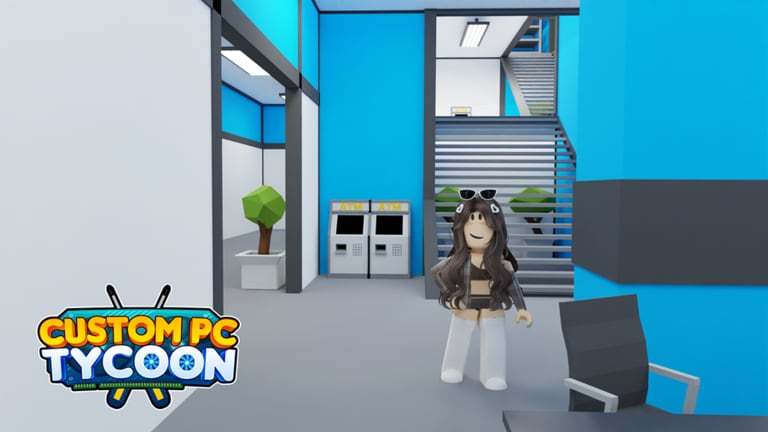
Custom PC Tycoon looks simple from the spawn pad: buy a case, click a workbench, watch cash tick. The players who stall are the ones who skip podiums, convert too early, or never walk behind the Advanced store. This hub is the map of every how-to on the wiki.
Start with getting started if you have not placed a complete PC. Jump to how to make money if the counter feels slow. Use how to get Sunstone when Diamonds stop buying the parts you want. Hunt secret parts when you want free income that the shop does not sell.
What each guide solves
The getting started page is the first-hour loop: electronics store, workbench, first podium, and the habit of redeeming codes before you spend starter cash. It also points at controls so mobile players stop fighting the camera.
Build and sell a PC is the craft page. Workbench tiers unlock primary and secondary colors. A half-built PC does not belong on a podium. Selling a stale rig funds the next part band without deleting the slots you already paid for.
How to make money is the economy page. Income is a fraction of placed PC value every 20 seconds. Eight podiums, then desks, then servers. Roblox Premium adds 10%. Boost codes only help if something is already earning.
Desks and servers covers the second floor, the five desk prices in Gold, peripheral slots, and the later rack income that overshadows starter podiums. Pair it with the desk setups and server setups catalogues.
How to get Sunstone explains the top currency, the Diamond converter, the NextGen Electronics Store, and why a Sunstone boost code is wasted on a cash PC. The currencies page sits next to it.
Secret parts walks the 4TB RAM, Secret Mouse, and SCI-FI X9 Case routes. Those pieces are easy to miss and they still show up in show-off builds.
Gamepasses separates the Roblox Premium 10% line from the shop VIP pass and the shop Premium pass. Buy none of them until cheap podiums are full.
Advanced store basement is the elevator Diamond shop under Advanced Electronics Store, not the shed basement. Trivia opens the cabin. Named stock includes Tron Mouse, Luminous Keys, Melodic Aura, NeonTech UW, and the Animatix Vimmies pad.
Custom colors is the workbench paint loop: primary at tier 2, secondary spray at tier 3, Premium tints only if you already bought that pass. Color does not raise the 20-second tick.
Shop road names the four buildings: cash electronics, Advanced Diamonds, NextGen Sunstone, and the storage lot that is not a shop.
Shed and workspace is the lot you own — workbench, podium row, second-floor desks, and the shed basement that is not the Advanced elevator.
Controls is the short reference for PC and mobile: move, interact, open Settings, color a part, place on a podium, and recover when a prompt hides behind the HUD.
How to use the hub with other sections
Guides tell you what to do. Items tell you what the object is. The tier list tells you whether to buy it. Tools let you estimate the next purchase. Updates tell you when a new Steampunk server set or cash PC set changed the shop.
If you only read one path this week, use this order: codes → getting started → make money → progression checklist → early-game tier list. That sequence stops the two classic leaks: an empty podium row and a wallet full of leftover fans.
Related reading
When a video and a written guide overlap, we keep one page and embed one video in the middle. The redeem video lives on how to redeem codes. The secret-route video lives on secret parts. The max Sunstone build video lives on the endgame tier list. The winter-event video lives on events.
Official channels stay on the links page. This wiki is unofficial. If a patch moves a shop or a hidden part, trust the live map over an old screenshot and send us the new landmark after you confirm it in-game.
Returning after a long break
Open the changelog first. A cash PC set or a Steampunk rack may have landed while you were away. Then redeem on the Codes Hub. Milestone strings sometimes survive longer than you expect. Walk your lot: empty pads, half desks, a converter you never used. Tick the progression checklist so you do not guess.
If the map looks different, re-run secret parts only after pads pay. If you came back for scripts, read the Scripts Hub warning and then close it. The game is still a place-and-tick tycoon.
Frequently Asked Questions
Quick answers to the most common questions.
Which Custom PC Tycoon guide should I read first?
Getting started, after you redeem codes. Then make money, then desks and servers once Gold is stable.
Do the guides work on mobile?
Yes. The loop is the same. Open the controls page if prompts or Settings are hard to tap.
Where is the walkthrough for hidden parts?
The secret parts guide covers 4TB RAM, the Secret Mouse, and the SCI-FI X9 Case.
Is there a Sunstone guide?
Yes. How to get Sunstone covers converters, NextGen stock, and when to spend a Sunstone boost.
Where are gamepasses, the store basement, and paint explained?
Gamepasses splits Roblox Premium from shop VIP and shop Premium. The basement guide is the Advanced elevator shop. Custom colors covers workbench spray. Shop road and shed cover the map and the lot you own.